RD8 Changelog
RD8 Software Changelog.

September 09, 2026
TG Grades
Parameters can now use TG grades (ISO 20457; TG1 - TG9) as the displayed tolerance class, alongside IT grades.
From the parameter or calculation row menu, choose IT Grade, TG Grade W, or TG Grade NW. The grade is solved from the nominal and tolerances, and the same choice is available when publishing drafts. TG grades apply in the supported nominal and tolerance range (nominal from 1 to 1000 mm).

Improvements
Fixes
August 15, 2026
Parameter History
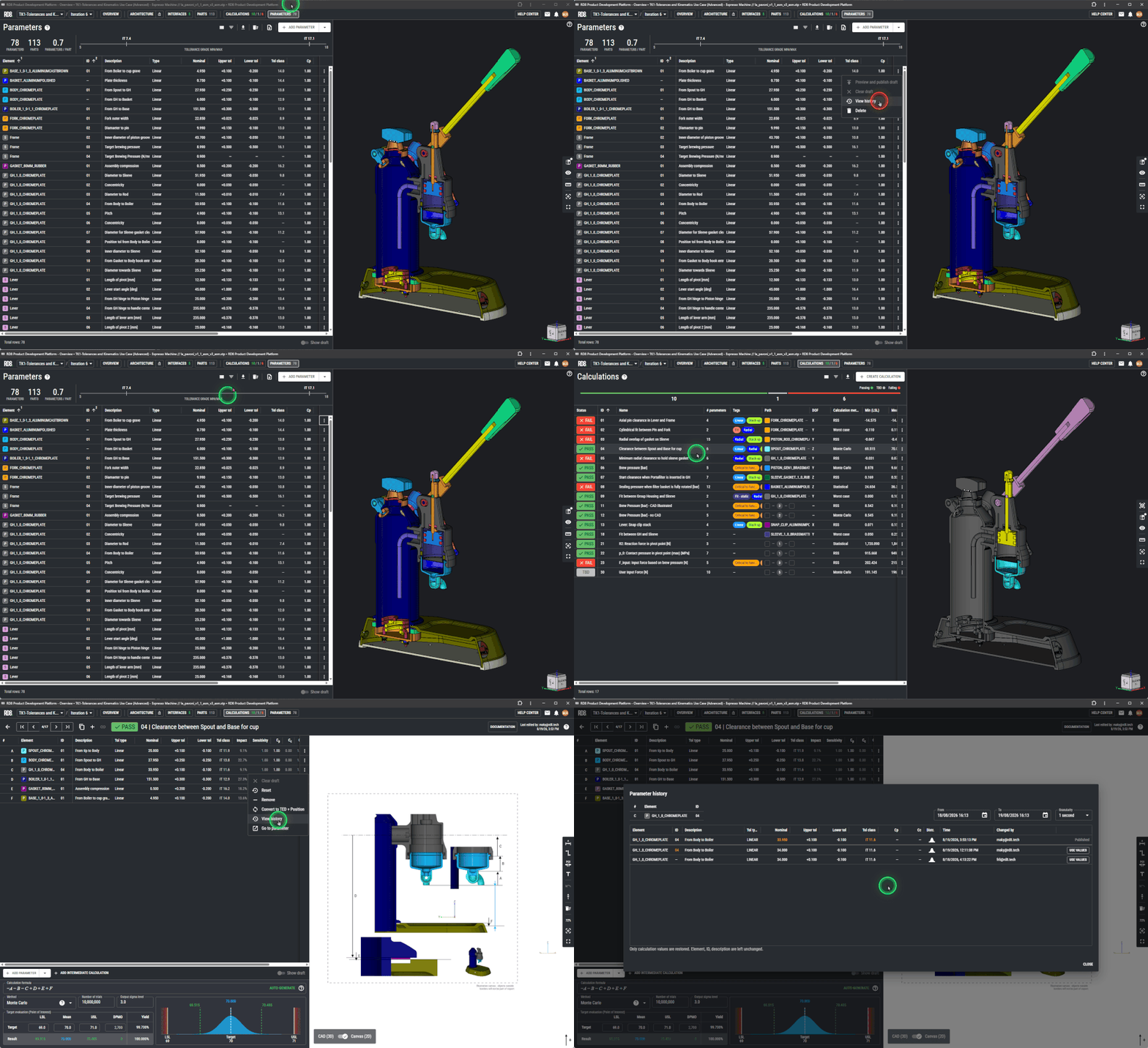
Enhanced drill down functionality for all parameters; see the full history and details: who edited, when, and what was edited.
Seamlessly roll back and recover.
Easy access from the parameter list and calculation sheets - always just a click away.
Inline parameter editing and drafts
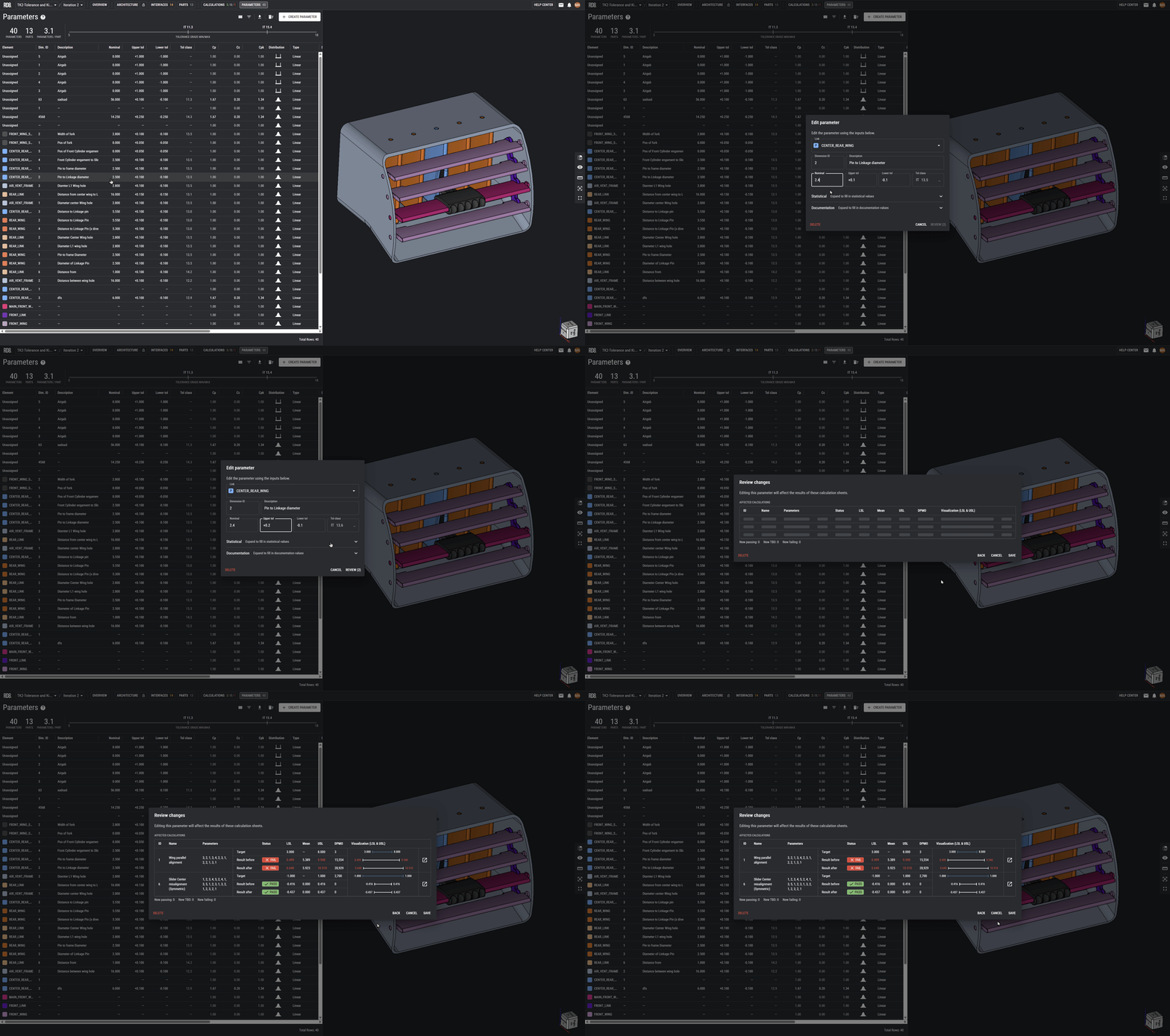
The parameter overview is now a working table, not a set of createand edit dialogs. You edit values in place. Changes are stored as drafts until you publish them, so you can iterate without immediately changing published calculation results.
Drafts can be published from the parameter overview, with an impact preview of the calculation sheets that would change. The publish dialog includes more context, so you can see what you are about to ship.
Improvements
Fixes
JuLY 08, 2026
Intermediate Calculations
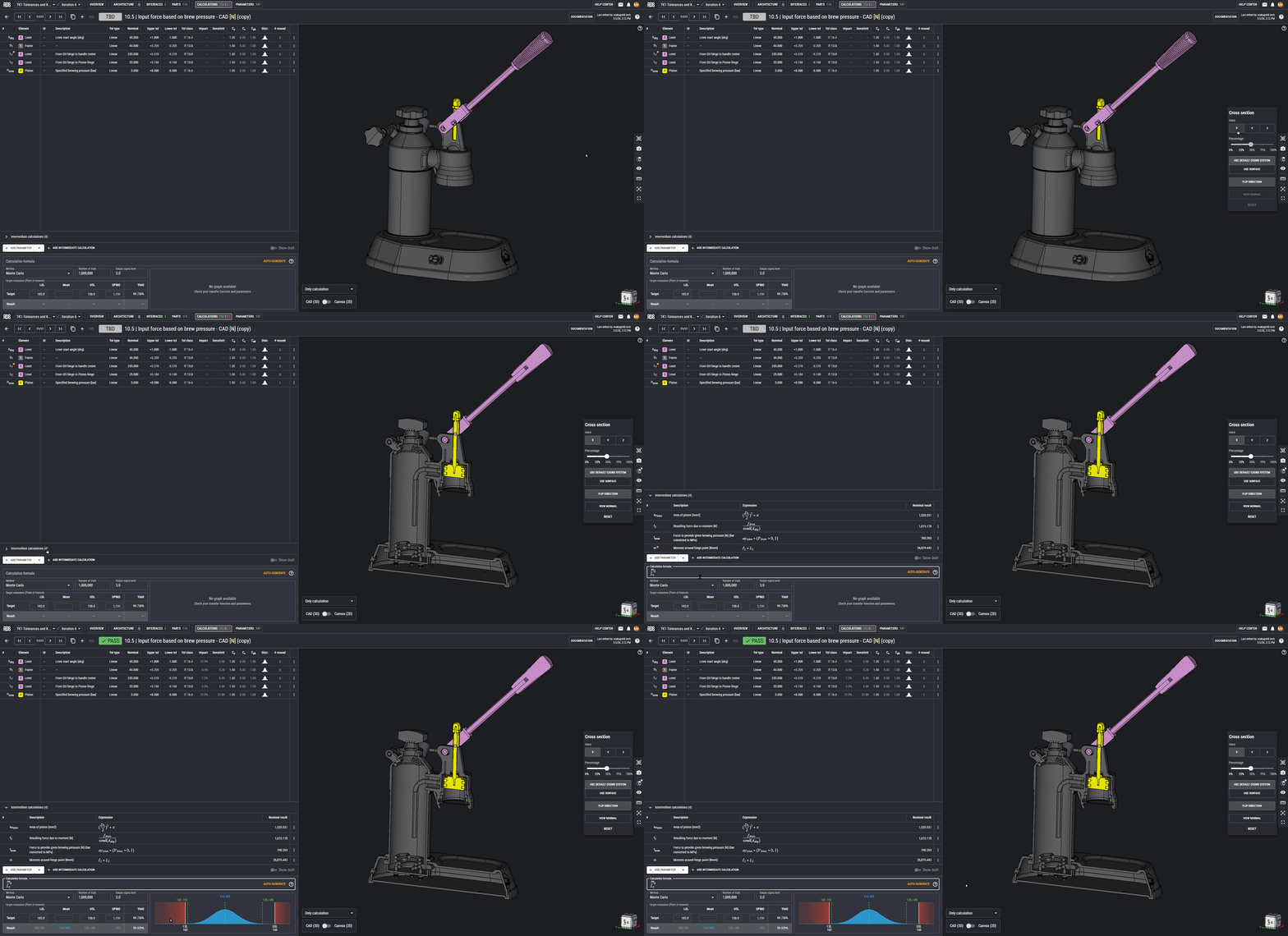
You can now slide out a panel "Intermediate Calculations" to break down complex calculations into bite size-pieces. You can define new variables on the fly and use them in other calculations.
Interface archetypes shown in the 3D viewer
An "Ideal Interface Illustration Gizmo" now appears next to the coordinate gizmo. It represents an illustrations of the ideal constraint-set.
Improvements
June 04, 2026
Parameter Edits from Parameter Database
Added step to preview impact of changing parameter values (like when publishing a draft from a calculation).
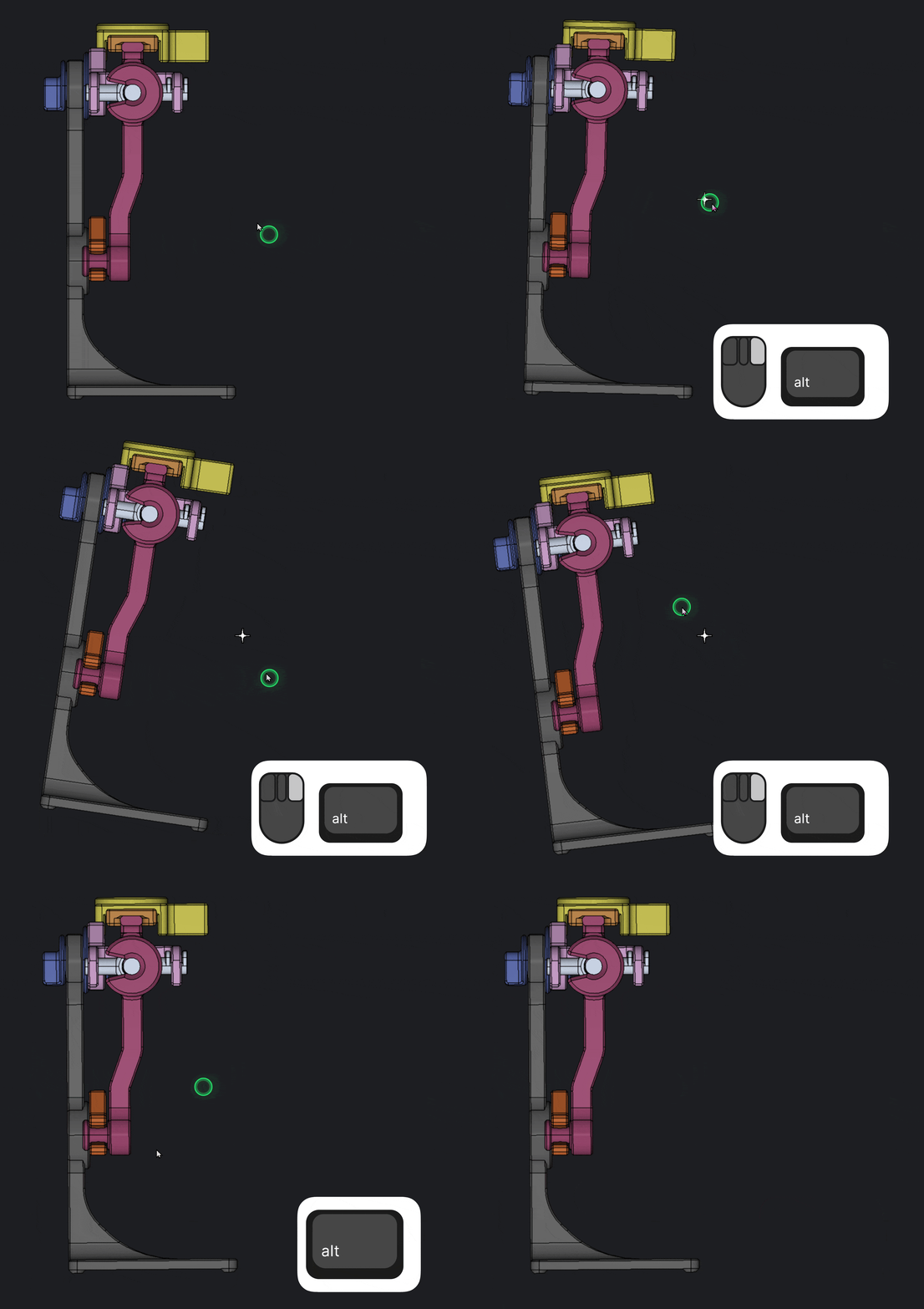
3D Viewer: View to Normal + Roll
Added “View normal” button to the cross section controls that aligns camera to the normal of the cross section plane.
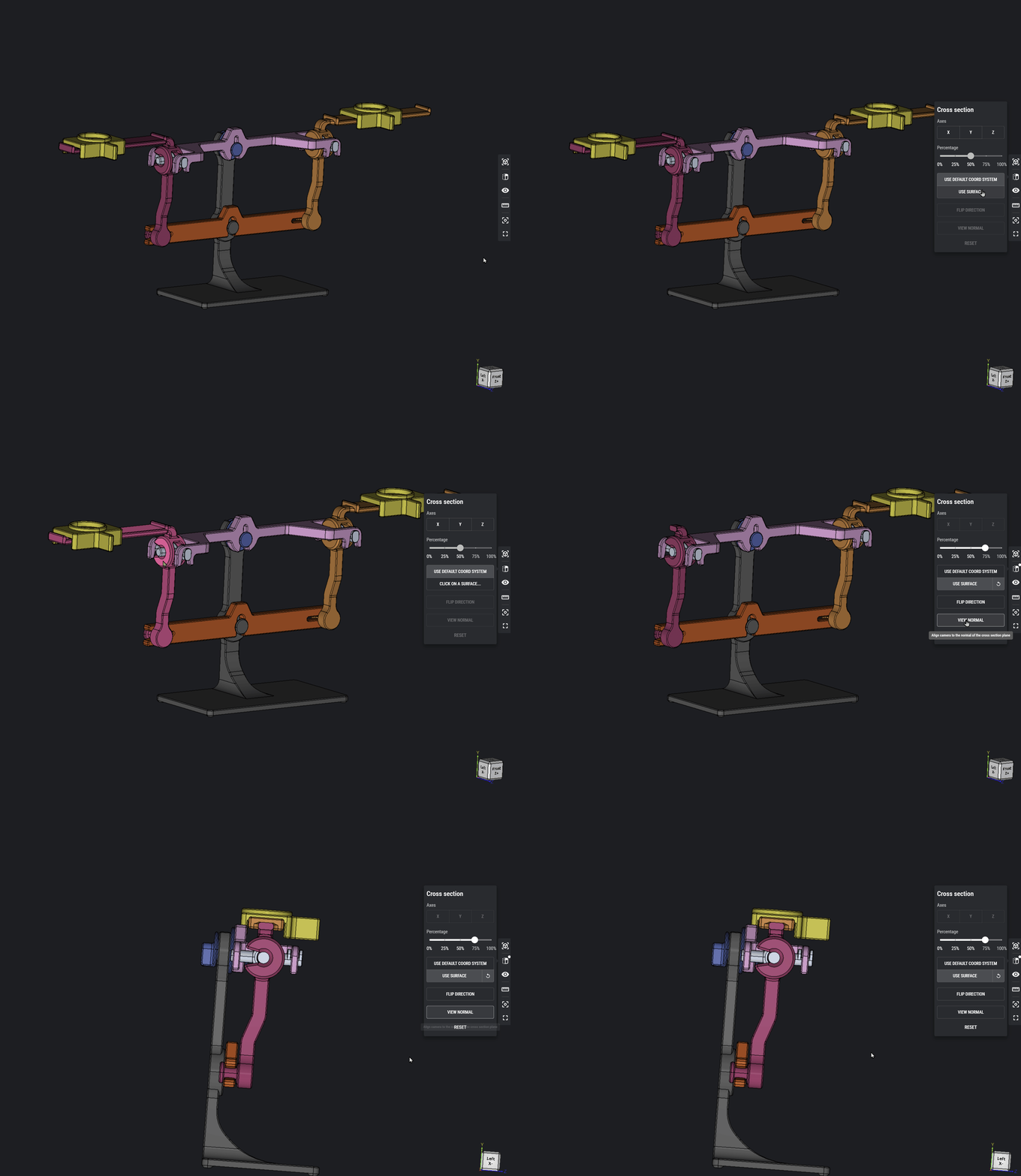
Added possibility to roll model along the screen normal (Alt + right-click + drag)
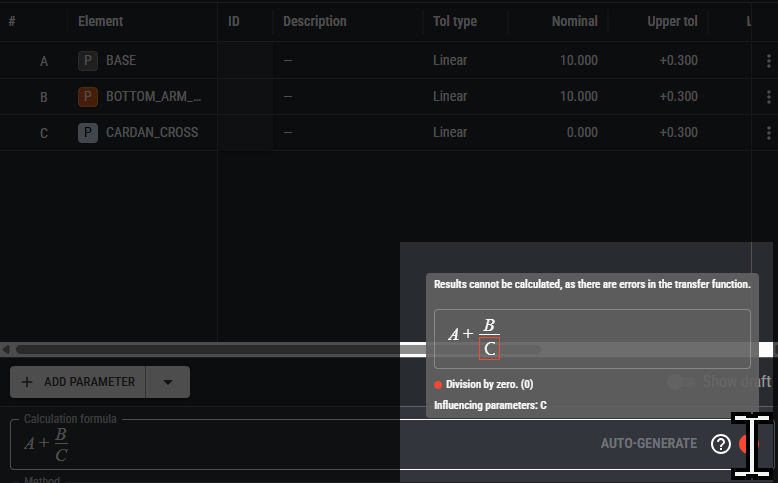
Calculation formula checks and new math operators
Extended calculation formula error tooltip to show both expression (like unmatched parentheses) and evaluation (like division by zero) errors, highlighting where in the formula the problem is.
Added functions/mah operators nonneg, nonpos, and abs to calculation formula.
Furhter fixes:
- Numpad Enter now triggers save
- No longer possible to insert linebreaks that cause calculation to fail
- Decreased size of help tooltip
- Element now shown again in parameter suggestions
Interface Analysis
Added option to “ignore” a constraint, which removes the constraint from the detailed analysis without adding an unclarity
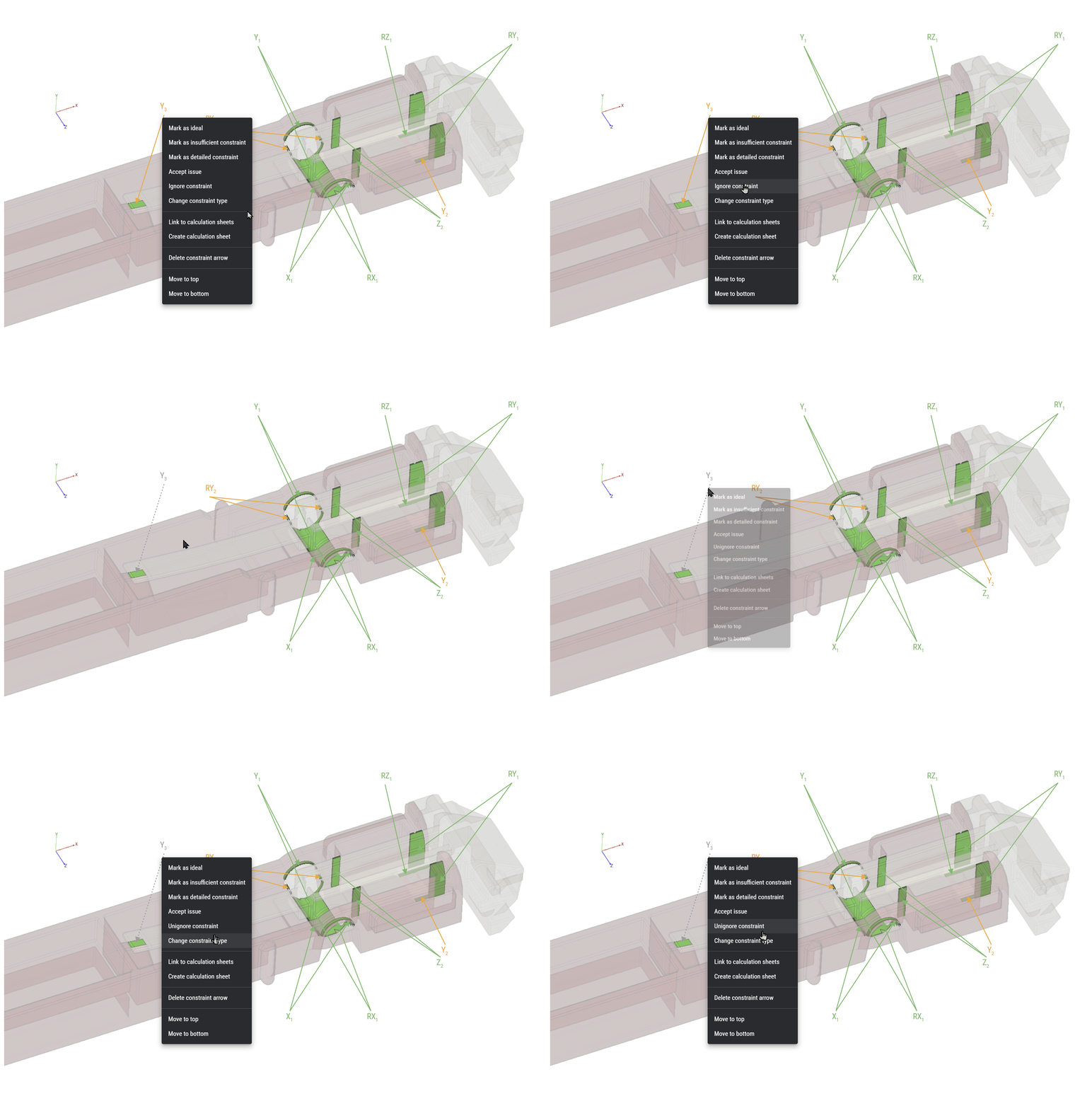
Renamed “negligible” constraint to “insufficient” to better convey its intent: constraints that are present in the geometry but insufficient to actually constrain in the real world
Improvements
Want a Demo?
We'll contact you.
By submitting, you accept RD8's Privacy Policy and Terms of Service.
Set up a free RD8 Software Trial for your team
✓ Intial Set-up Call ✓ No Install ✓ ISO27001 Certified
Day 15: decide what's next.
Book an initial meeting to:
Bring your CAD file(s) or case(s). Otherwise RD8 can provide sample files.
By submitting, you accept RD8's Privacy Policy and Terms of Service.
