2D Tolerance Stack-Up Cheat Sheet.
Download the RD8 2D Tolerance Stack-up Cheat Sheet
Your ultimate guide for 2D Tolerance Stack-Up Analysis.
Fill out the form below, and the cheat sheet will be sent to your email.
By submitting, you accept RD8's Privacy Policy and Terms of Service.
2D Tolerance Stack-Up Cheat Sheet.
Tolerance analysis is like quality control math for assemblies. It checks how all those tiny part variations add up - so even when components aren't perfect, the final product still works like a charm.
Good tolerance analysis ensures that:
check out the 1D tolerance stack-up cheat sheet
Run 2D stack-up analysis in RD8 software
Instead of relying on gut feeling or Excel-based stack-ups, RD8 gives your team a modern, visual, and collaborative piece of software to manage all your stacks: 1D, 2D, 3D - linear or non-linear. Whether you're designing precision mechanisms or high-volume components, we help you brings clarity to complex assemblies - and avoid costly rework, ensure functionality, and speed up development cycles.
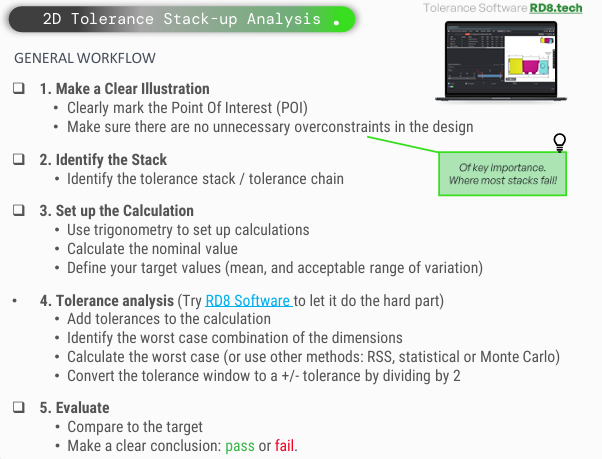
2D Tolerance Stack-up Analysis
1. Make a Clear Illustration
• Clearly mark the Point of Interest (POI)
• Make sure there are no unnecessary overconstraints in the design.
2. Identify the Stack
• Identify the tolerance stack / tolerance chain
3. Set up the Calculation
• Use trigonometry to set up calculations
• Calculate the nominal value
• Define your target values (mean, and acceptable range of variation)
4. Tolerance analysis
Try RD8 Software to let it do the hard part!
• Add tolerances to the calculation
• Identify the worst case combination of the dimensions
• Calculate the worst case or other methods
• Convert the tolerance window to a +/- tolerance by dividing by 2
5. Evaluate
• Compare to the target
• Make a clear conclusion: pass or fail
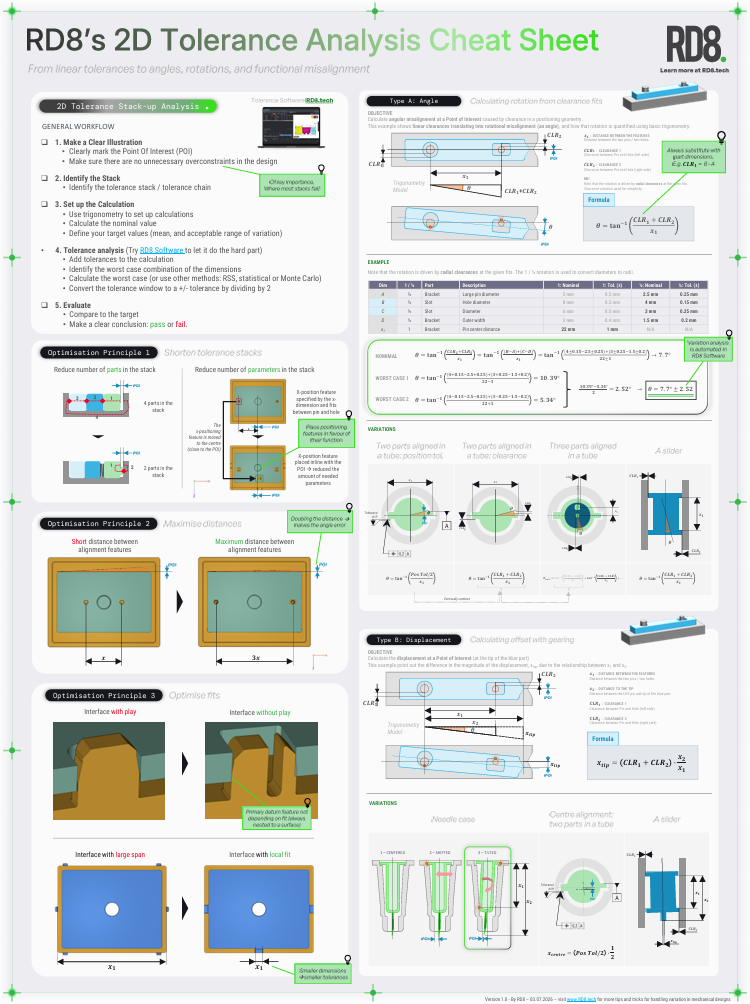
the three optimisation principles
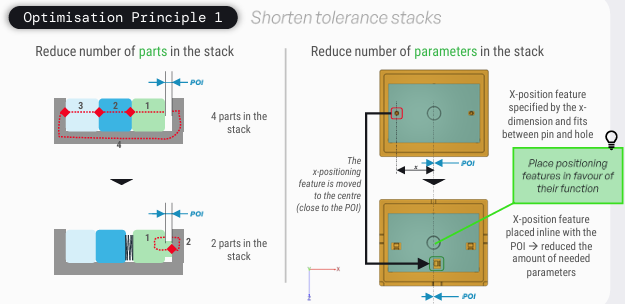
Shorten Tolerance Stacks
• Reduce the number of parts in the stack
• Reduce number of parameters in the stack
See picture or download cheat sheet for examples
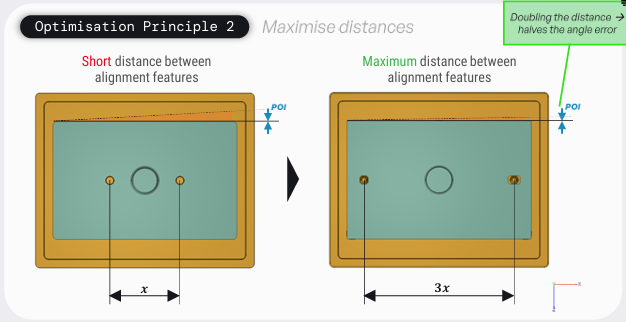
Maximise Distances
• Short distance between alignment features
• Maximum distance between alignment features
See picture or download cheat sheet for examples
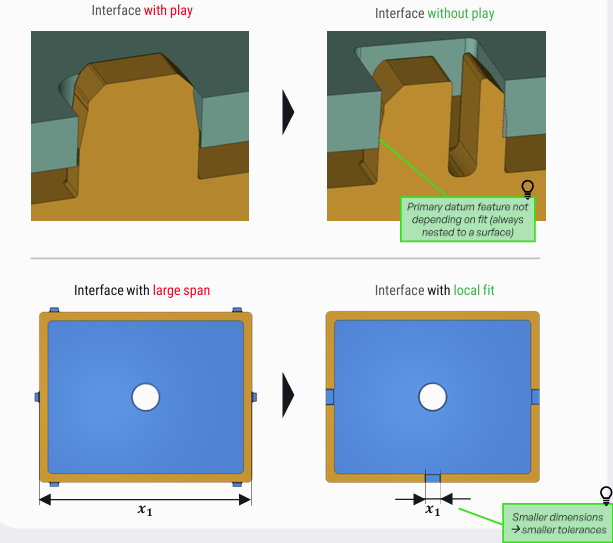
Optimise Fits
• Obtain an Interface without play
• Obtain an Interface with local fit
See the picture, the full guide, or download cheat sheet for examples
two types of Standard Calculations
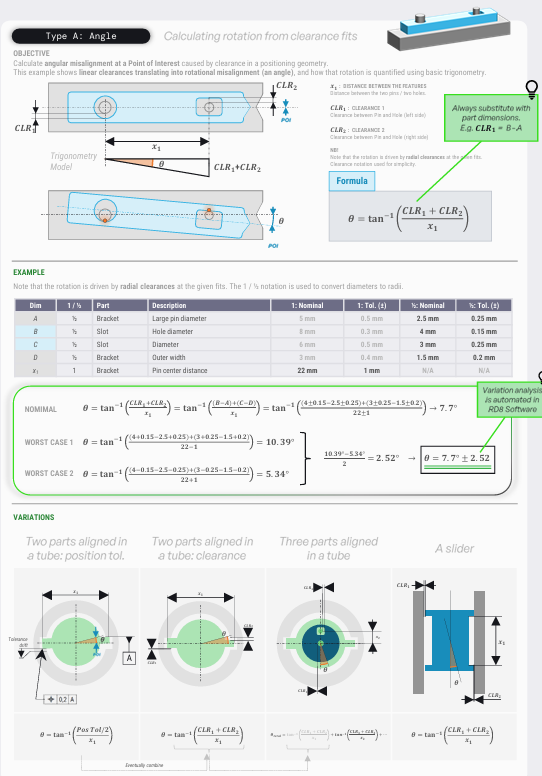
Calculating Rotation from Clearance Fits
Type A: Angle
• Calculates angular misalignment at a POI
• Clearance fits create rotation
Main Idea
• Linear clearance becomes angular error
• Rotation depends on clearance and feature spacing
Key formula
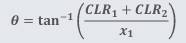
Terms
• CLR1, CLR2: Radial Clearances
• x1: Distance between features
• θ: Rotation angle
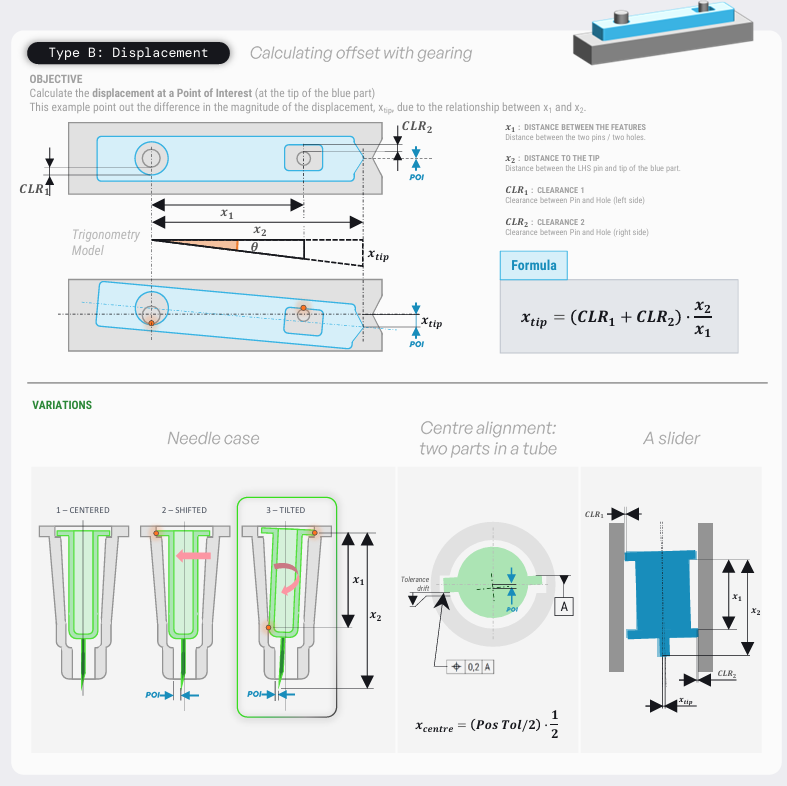
Calculating Offset with Gearing
Type B: Displacement
• Calculates offset at a point of interest
• Clearance between two features creates rotation/tilt
Main Idea
• Small clearances can be amplified by geometry
• The further the POI is form the supports, the larger the offset
Key formula
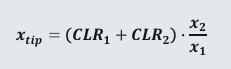
Terms
• CLR1, CLR2 represents the two clearances
• x1 is the distance between features
• x2 is the distance to POI
Try The Napkin tools
Contact and Clearance Calculator

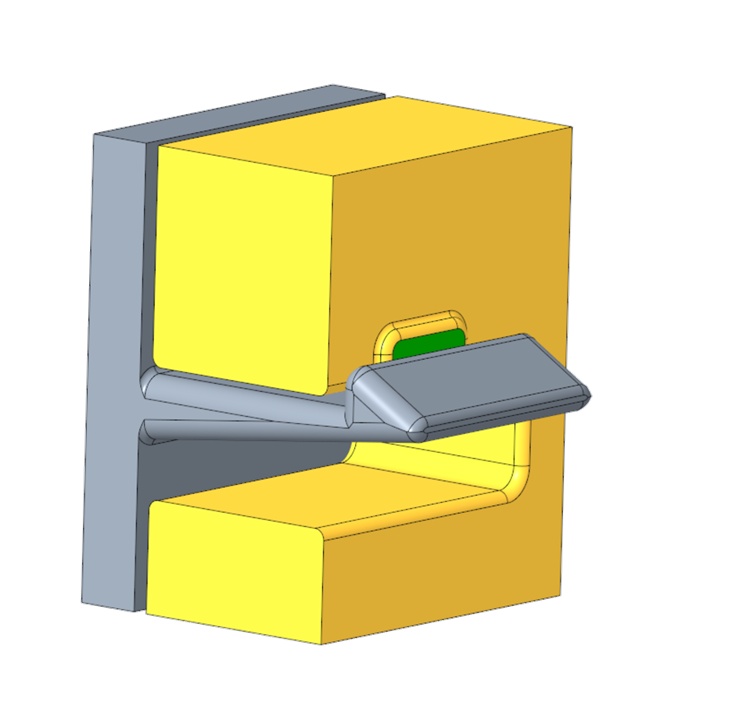
Snap Fit Calculators
Ensure your design is feasible before you model.
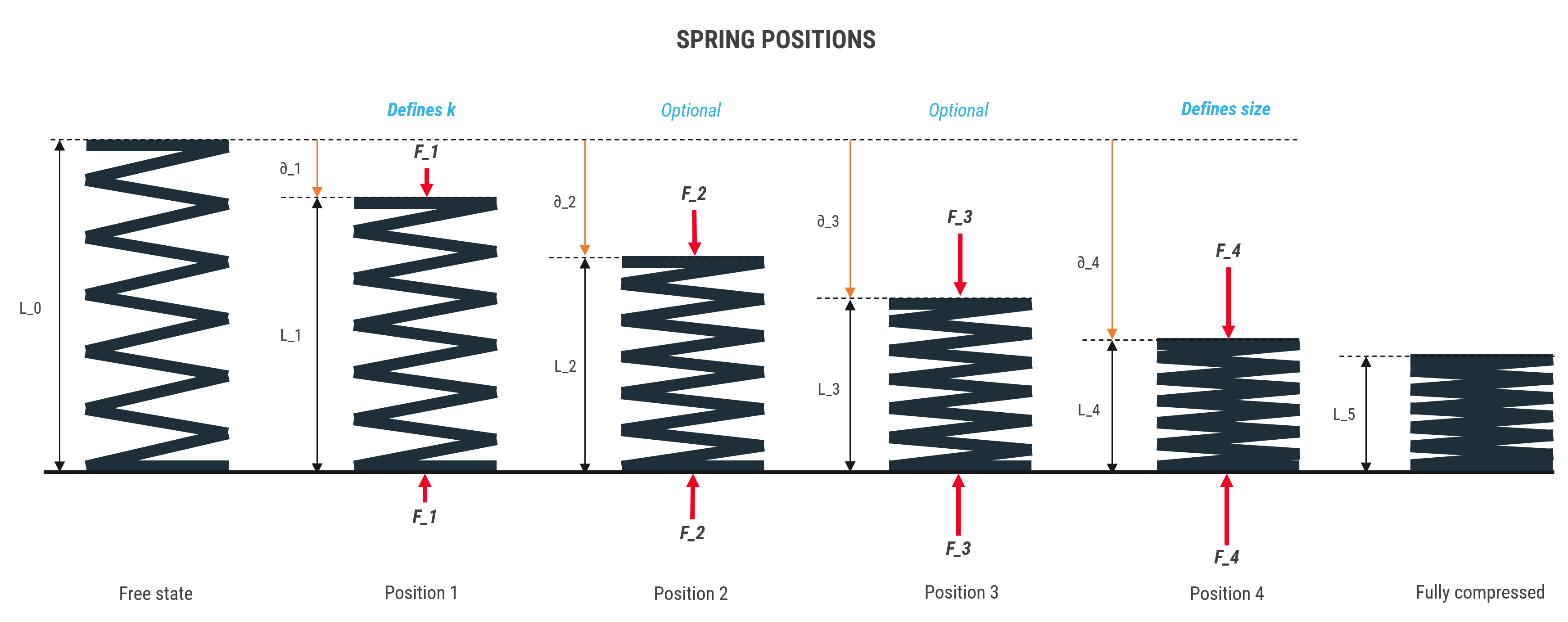
Spring Calculator
Set up a free RD8 Software Trial for your team
✓ Intial Set-up Call ✓ No Install ✓ ISO27001 Certified
Day 15: decide what's next.
Book an initial meeting to:
Bring your CAD file(s) or case(s). Otherwise RD8 can provide sample files.
By submitting, you accept RD8's Privacy Policy and Terms of Service.
