
Tolerance stack-up analysis: definition, methods, guide and software
What the standard guide doesn't tell you.
• How to eliminate the need for dimensions and tolerances
• How to lower variation (improving quality) without tightening tolerances
• How to make sure your tolerance stack is valid
Learn how to master tolerance analysis. Not only for the stake of analysis - but with the purpose of making better designs that are simple and predictable.

Explore the Steps to Become an Expert in Tolerance Stack-Up
Tolerance Stack Up Guide
Description
Learn More
Why is tolerance stack-up important?
Why is tolerance stack-up important?
Tolerance analysis is essential for ensuring that parts fit together and function as intended.
It impacts:
• Product functionality - ensuring that the product always work, in all conditions, also when an assembly consists of parts all pushed to their limits of their tolerances
• Cost efficiency - Reduce need for tight tolerances, inspection, reduce scrap, expensive redesigns
• Reliability and quality - Deliver products that meet performance standards consistently
Not performing a proper tolerance stack-up analysis can lead to misaligned components, increased production costs, and product failure. By understanding and applying tolerance stack-up analysis, you can optimize design, improve manufacturability and maintain quality control throughout the product lifecycle.
This task is often postponed late into the design process - then revealing issues that can only be solved by making more precise parts (which is costly, more time consuming, harder to source or keep in control).
What is tolerance stack-up or tolerance stacking?
What Is Tolerance Stack-up or tolerance stacking?
Exact definitive answer.
Clarify its role in mechanical design and manufacturing.
Explain that "it helps predict whether assembled parts will meet design requirements.
What is the primary purpose of tolerance stack up?
Introduce the primary methods of tolerance stack up analysis as a list
Mention keywords:
GD&T, tolerance analysis stack up analysis, manufacturing precision, variation, assembly variation
Udkast:
The primary purpose of tolerance stack-up analysis is to determine whether a mechanical assembly will meet its functional and dimensional design requirements when real-world manufacturing variations is taken into account.
It plays a critical role in both mechanical design and manufacturing by clarifying how GD&T, part tolerances, and process capability combine to influence assembly variation, manufacturing precision, and overall product performance
In short: it predicts if parts will fit and function correctly before anything is produced
RD8 mainly makes use of three different statistical methods for tolerance stack-up analysis
- Worst-case analyis: assumes all features are their extreme limits
- Root Sum Square (RSS): simplified statistical approach for independent tolerances
- Monte Carlo Simulation: simulates large sets of random variations for realistic predictions
What are the types and methods for tolerance stack up
What are the types and methods for tolerance stack up?
Mention briefly the different methods for doing tolerance stack up and mention the connection to the methods for doing regular tolerance analysis.
Unordered list: Methods for tolerance stack-up (with a very short description)
Comparison table for the methods
"The methods for tolerance stack-up analysis are explained below."
Udkast:
The methods for tolerance stack-up analysis are explained below.
All three are standard approaches in tolerance analysis, each offering a different balance between simplicity, accuracy, and how realistic the predicted assembly variation os.
Worst-Case Method:
Evaluates the assembly using the extreme limits of every tolerance. Guarantees fit but is conservative and often drives unnecessarily tight manufacturing precision.
Root Sum Square (RSS)
Combines independent variations statistically. Provides a fast, realistic estimate of assembly variation when contributors behave normally and independently.
Monte Carlo Simulation
Uses randomized sampling to model thousands of build scenarios. Gives the most accurate and realistic prediction, especially for assemblies driven by GD&T, nonlinear geometry or complex variation chains.
How to calculate tolerance stack up
How to calculate tolerance stack up
Link to the "tolerance stack up analysis guide" main page.
Ordered list of steps to go through
- List the H3s
Describe each step with one sentence.
Briefly mention different tools that can be used to calculate tolerance stack-up. (like Excel and RD8)
Say that we use RD8 software for the calculations in the example, and explain why it makes it easier.
Keywords:
RSS tolerance stack up, tolerance chain, worst case analysis, Monte Carlo, automatic calculation
Udkast:
Tools and Software for tolerance stack up analysis
Tools and software for tolerance stack up analysis
Unordered list: Tools and software for tolerance stack up analysis
Example:
- RD8 technology
- Excel
- "Sigmetrix CETOL 6σ"
- "SolidWorks DimXpert"
- "Creo Tolerance Analysis Extension"
- "AutoStack"
-
For each element on the list, give a short description and mention some strength and weaknesses.
Ex
- Do they work with 1D, 2D or 3D calculations?
- Which calculation methods can be used (RSS, Monte Carlo, Worst Case)
Udkast:
Giver det mening at snakke om konkurerende produkter?
Common mistakes in tolerance stack up - and how to avoid them
Common mistakes in tolerance stack up - and how to avoid them
"Failing to account for cumulative tolerances can lead to assembly failure." or "Avoiding common tolerance analysis mistakes helps ensure product reliability and reduces costly rework."
Unordered list: What are some frequent errors and mistakes in tolerance stack up analysis
Ignoring cumulative effects
Over-relying on worst-case scenarios
Using incorrect tolerance values
Negating validation steps
…
For each element on the list, describe the mistake and what problems it could lead to. Explain how to avoid the mistake (bonus points if RDB software prevents the user from making the mistake)
"Avoiding common tolerance analysis mistakes helps ensure product reliability and reduces costly rework.
"Keywords:
Tolerance budgeting, manufacturing variability,
Udkast:
Avoiding common tolerance analysis mistakes improves product reliability and reduces costly rework.
Ignoring cumulative effects:
Leads to - assemblies going out of spec.
Avoid it - Always calculate the full tolerance chain. RDB does this automatically.
Over-relying on worst-case:
Leads to - overly tight tolerances and high cost.
Avoid it - Use RSS or Monte Carlo when realistic variation is needed. RDB switches methods instantly with no further work needed.
Using incorrect tolerance values:
Leads to - misleading predictions
Avoid it - Check inputs carefully. RDB flags missing or incosistent data.
Skipping validation:
Leads to - product passes analysis but fails in production.
Avoid it - Validate with measurement data. RDB ......?
Oversimplifying GD&T:
Leads to - missing real geometric variation.
Avoid it - Use tools that interpret GD&T correctly. RDB includes something smart.....
Manual spreadsheet errors:
Leads to - mistakes that create big design risk.
Avoid it - Use automated tools. RDB prevents calculation and formula errors entirely.
MÅSKE LAVES ALT DETTE TIL ET SKEMA / TABEL ??
Best practices for managing tolerance stack up
Best Practises for managing tolerance stack up
"Adopting best practices in tolerance stack up management enhances product quality and reduces production risks."
Unordered list: Ex:
- Define critical functions for the part
- Choose right analysis method (statistical or worst-case)
- Use tools that minimize the opportunity for making mistakes
- Avoid over-tolerancing
- …
For each element on the list, give a short explanation of why this is important
Udkast:
Adopting best practices in tolerance stack-up management enhances product quality and reduces production risks.
Below are key guidelines and why they matter:
Define the critical functions of the part
Identifying the key parts of the design ensures that the tolerance chain focuses on the dimensions that control fit, performance, and functional behavior.
Choose the right analysis method (statistical or worst-case)
Selecting between worst-case or statistical approaches ensures that the prediction matches the real-world requirements. This balances risk, cost and manufacturing capability
Avoid over-tolerancing
Unnecessarily tight tolerances increase manufacturing cost and complexity. Good tolerance budgeting keeps quality high while avoiding excessive precision requirements.
Use tools (RD8's software) that minimize mistakes
Dedicated tolerance analysis tools reduce manual errors, automate calculations, and offer consistent interpretation of variation. This results in faster and more reliable stack-ups.
Tolerance Stack-Up: How to Set Up a Tolerance Analysis
Step 1
The Basics: Tolerance Stack Up Example
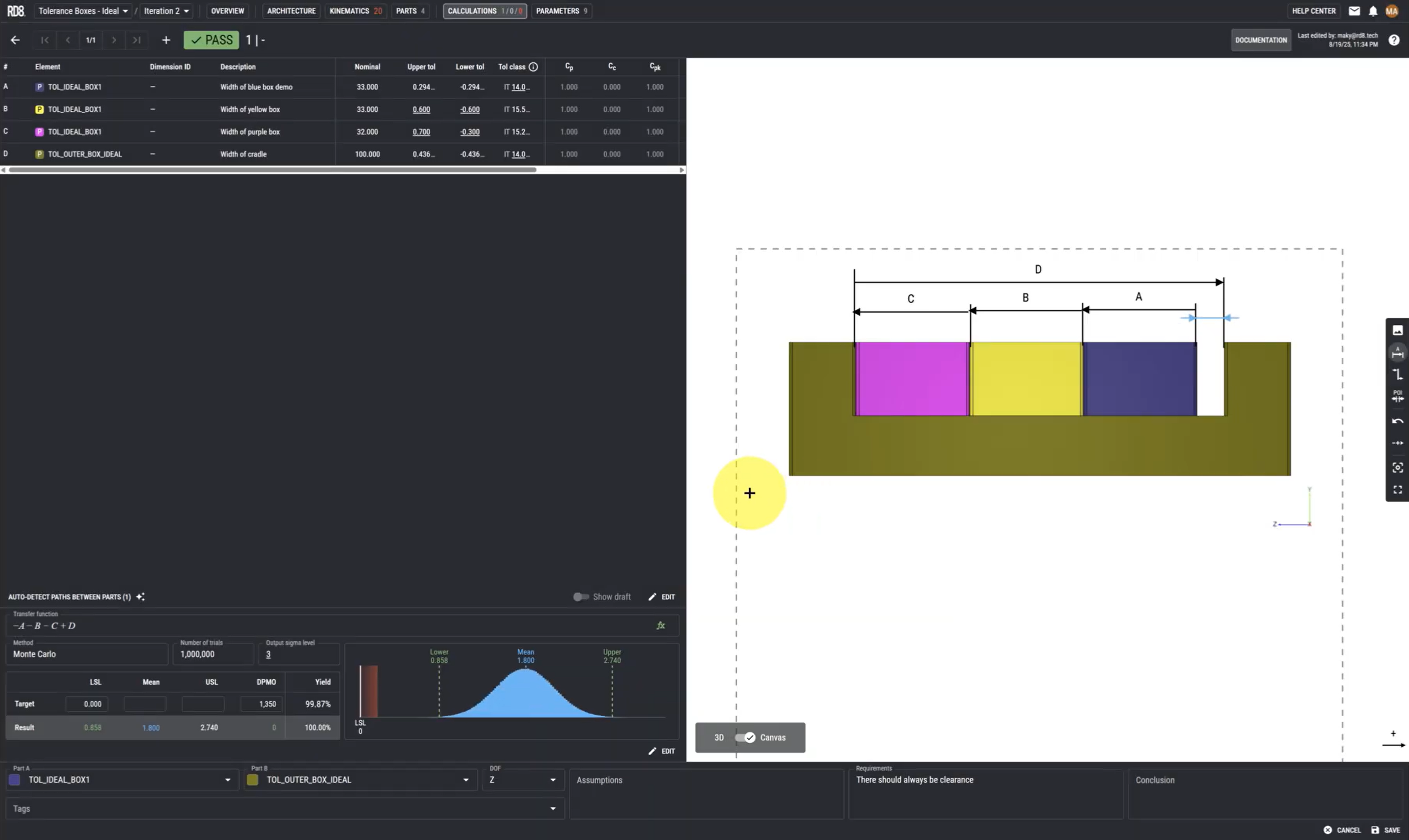
Step 1 - the basic techniques for setting up a tolerance stack.
In this guide we give a very basic Tolerance Stack up Example. We cover how RD8's Tolerance stack up analysis software works and how it will help you calculate your own tolerance stacks easily.
This includes how to define dimensions, assign tolerances, and assess their combined impact on assembly variation while gaining insight into best practices for Robust Design.
You will also see how to use different methods like Worst-Case Analysis, RSS, and Monte Carlo SImulation methods.
Lastly the guide covers how to define your requirements and make sure that your tolerance stack fulfils the requirement without failing.
Step 2
How To Handle Clearances
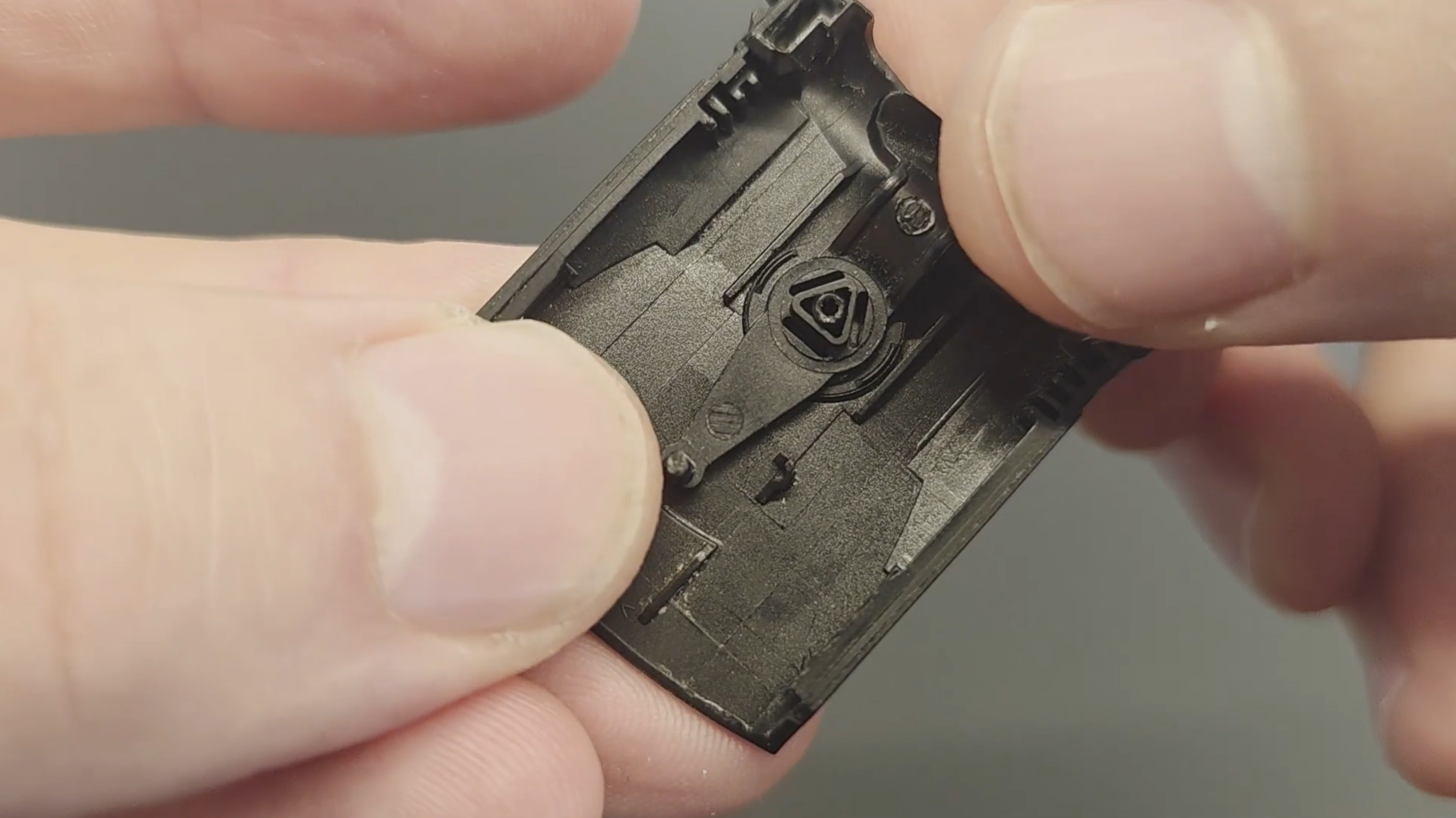
Clearances can be tricky - especially when dealing with tolerance stacks - and can significantly impact your design's performance if not managed correctly. This guide will show you a systematic approach to set up a tolerance stacks with clearance in the assembly, using a simple example to make the process clear.
You will learn how to define parameters, add dimensions and tolerances, and automatically find the transfer function for calculations.
The guide also covers best practices for handling clearances, such as making calculations with all parts at their extreme positions, and using Robust Design principles to eliminate the impact.
Step 3
Finding Your Tolerance Stack Path
Sometimes tolerance stack paths are easy to identify, but when you have more complex assemblies, it can be difficult to find the path. And in some cases perhaps impossible as there can be conflicting tolerance paths. This guide explains exactly why conflicting tolerance stacking paths can risk making you design unstable and problematic.
We will cover exactly how to find your tolerance stack path with a few examples of tolerance stacking using RD8's tolerance Path Finder, which can identify risk of conflicting paths much easier than the human eye.
You will see how conflicting paths are causing over-constraints - but also how these can be managed by Robust Design principles.

Step 4
Parameter Sensitivity and Optimization
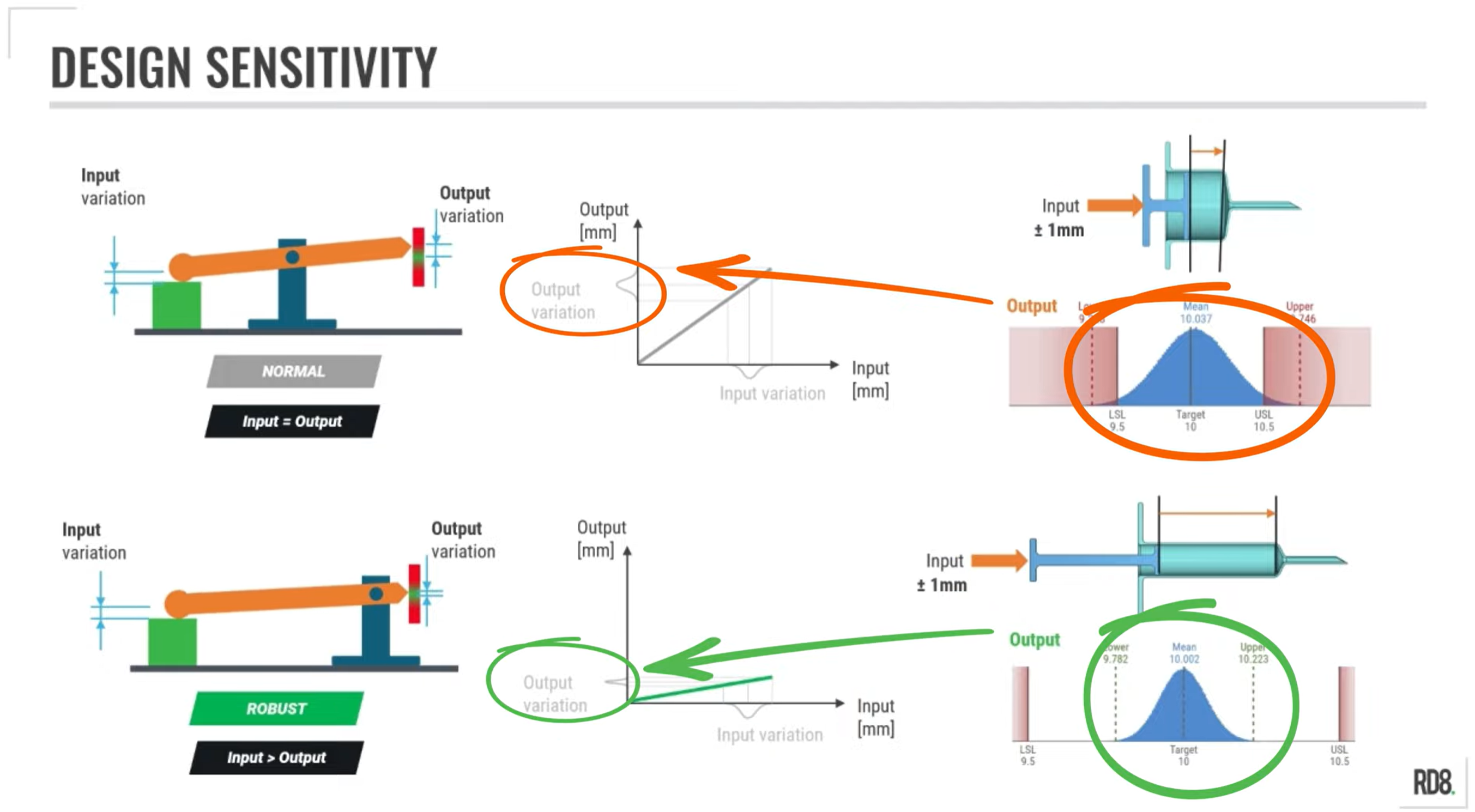
In this guide we explore how to manage parameter sensitivity and parameter optimization. With the objective of avoiding large variations in the final product/function due to a high sensitivity to input variations.
We go through the importance between sensitive- and Robust Design, and link it all to the tolerance stack in the design.
You will also be introduced to the best practices from Robust Design and Tolerance Stack-Up to reduce sensitivity in your designs, including keeping dimensions small and simplifying and reducing the number of parameters in a tolerance stack.
Step 5
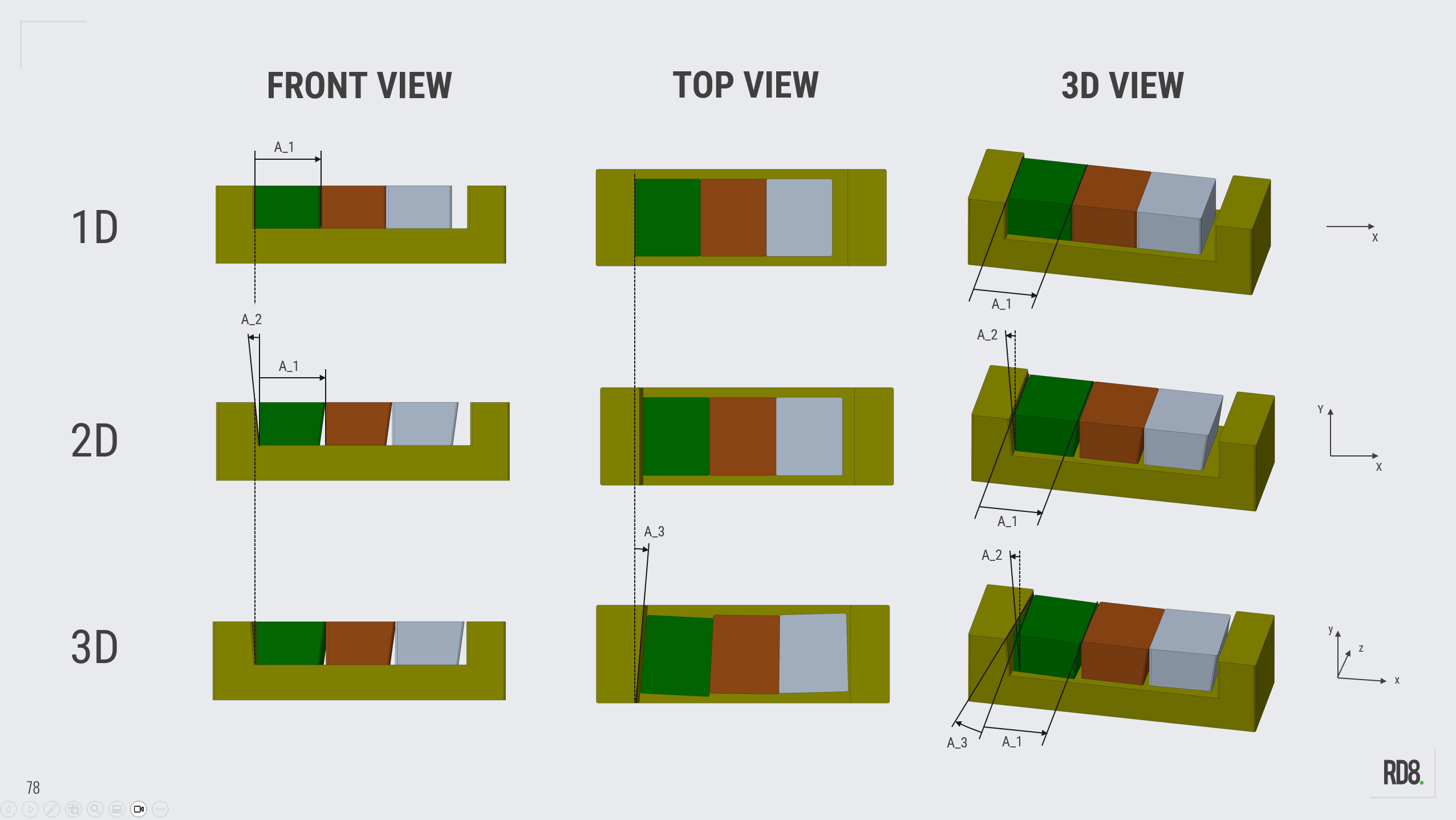
Two-Dimensional Stacks (...and the difference between 1D-, 2D-, and 3D-stacks)
The different notions for 1D-, 2D-, and 3D-tolerances-stacks are explained in this step.
The key in this step is to simplify your design in order to minimize information and gain control of the design (so it it is simple to predict).
Make Tolerancing Easy - Talk to an Expert to get to know the RD8 Software

By submitting, you accept RD8's Privacy Policy and Terms of Service.